Self-Check-In Kiosks: The Future of Restaurant Queuing
The Airport Model Comes to Restaurants
Airlines replaced human check-in agents with self-service kiosks over a decade ago. Hotels followed. Now restaurants are adopting the same approach: a tablet-based kiosk at the entrance where guests check in for their reservation or join the waitlist without host interaction.
This isn't about eliminating the host — it's about freeing them from data entry so they can focus on hospitality. Instead of typing names and phone numbers while a line of guests waits, the host greets guests, answers questions, and provides the personal touch that technology can't replicate.
How Restaurant Check-In Kiosks Work
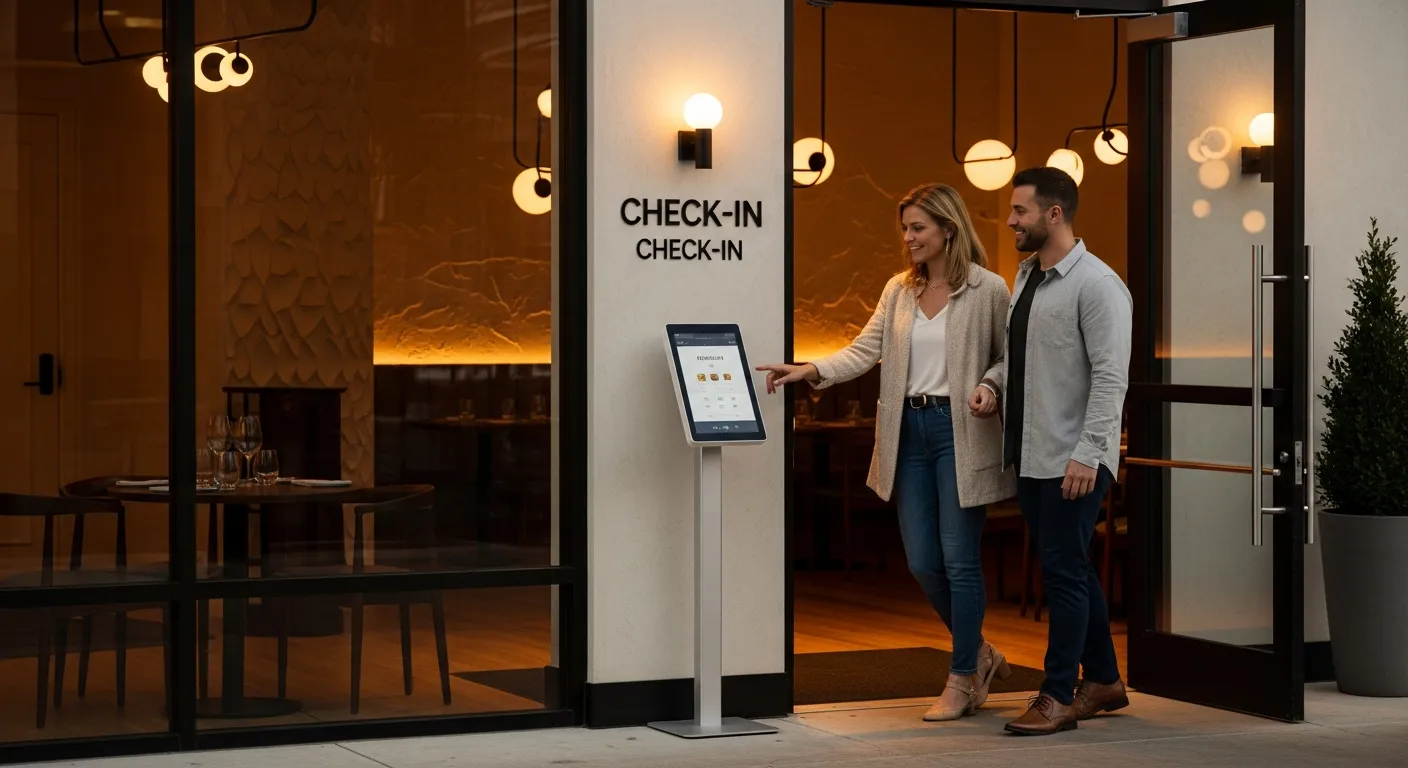
The setup is simple: a tablet (iPad or Android) mounted on a floor stand near the entrance, running your waitlist/reservation software in kiosk mode. Arriving guests see two options: 'I have a reservation' (enter last name to check in) or 'Join the waitlist' (enter name, phone, party size).
After check-in, the guest receives an SMS confirmation and the host dashboard updates automatically. No handwriting to decipher, no phone numbers misheard, no double-entries. The host sees the guest has arrived and can greet them by name when they approach.
KwickOS kiosk mode turns any tablet into a self-check-in station with your branding, colors, and welcome message. Setup takes 10 minutes.
Benefits for High-Volume Restaurants
During peak arrival times (6:30-7:30 PM on busy nights), the host stand becomes a bottleneck. 15 parties arriving within 30 minutes means 2 minutes per party for check-in — and the line backs up fast. A self-check-in kiosk handles 3-4 check-ins simultaneously (multiple guests using the same kiosk in sequence) while the host seats and manages.
Data accuracy improves dramatically. Guests type their own phone number (no transcription errors), select their party size (no miscommunication), and can add special requests ('birthday dinner,' 'need highchair') that they might not mention to a busy host. This data flows directly into your system without manual entry.
Guest Reception and Adoption
Guest adoption rates for restaurant check-in kiosks: 60-70% within the first month, rising to 80-85% after 3 months as regulars become familiar. The remaining 15-20% prefer human interaction — and that's fine. The host is available for them while the kiosk handles the majority.
Key to adoption: keep the interface simple. Three screens maximum: welcome → enter info → confirmation. Don't ask for email, don't show promotions, don't require account creation. The goal is fast check-in, not data harvesting. You already get their phone number, which is sufficient for communication.
Implementation Considerations
Hardware: any tablet works, but a floor stand with anti-theft mount ($100-$300) is essential. Position the kiosk where arriving guests naturally look — near the entrance, visible from the door, at eye level. Don't hide it behind a pillar or position it where it blocks traffic flow.
Software: use your POS's kiosk mode if available. If not, standalone options (Waitwhile, TablesReady) offer dedicated kiosk interfaces. Ensure the kiosk syncs in real-time with the host's dashboard — a delay of even 30 seconds creates confusion.
Staff training: brief your host team on the new workflow. Their role shifts from data entry to hospitality: greeting guests, directing them to the kiosk or assisting those who prefer human help, and managing the floor. Most hosts prefer this — they signed up to be hosts, not data entry clerks.
Ready to Upgrade Your Restaurant?
Use one documented host-stand workflow for pager assignment, ready alerts, table status, and pager return so the queue does not depend on memory during a rush.
Get a Free Demo →Become a KwickOS Reseller
Earn recurring revenue bringing KwickOS to restaurants in your area. Exclusive territories available.
Apply Now →