What Is a Pager Transmitter? Guest Paging Base Stations Explained
Everyone shops for pagers. Almost nobody shops for the box they sit in — which is the part that actually decides whether your system works.
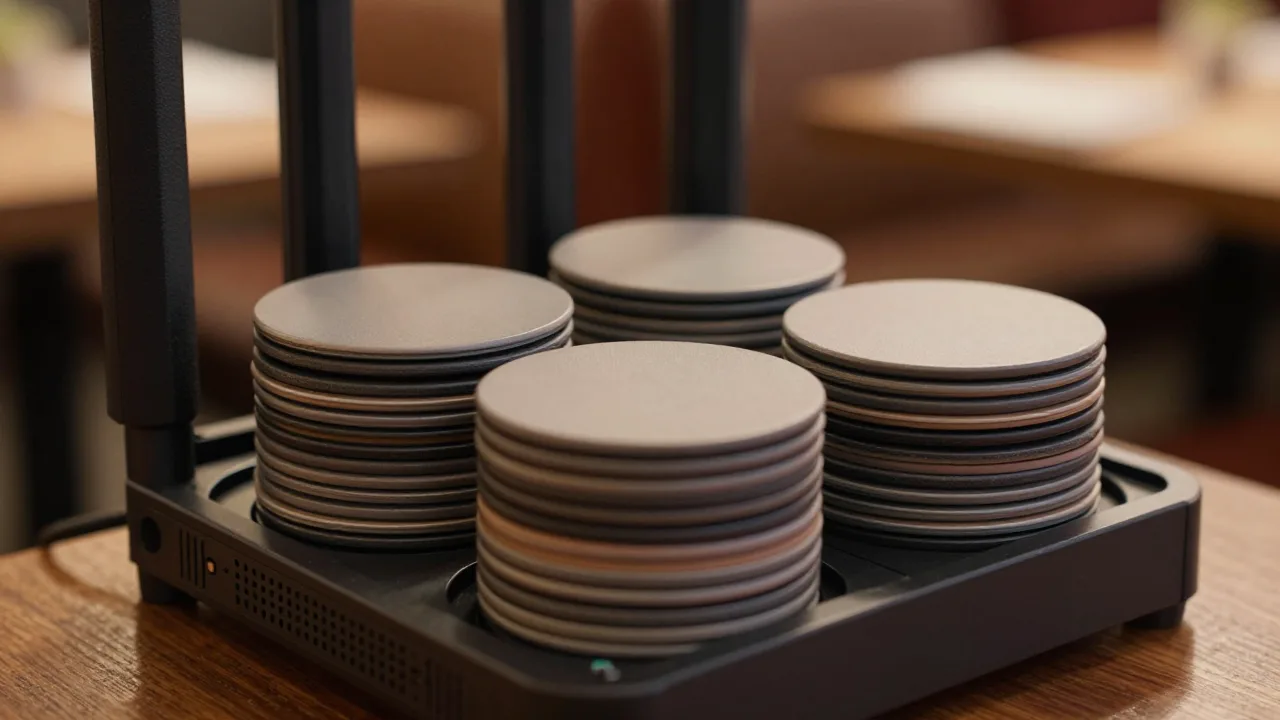
A pager transmitter — usually called the base station, base unit, or charging base — is the piece of equipment at your host stand that charges guest pagers, assigns each pager an ID, and transmits the radio signal that wakes a specific one up. The coasters get all the attention because guests hold them. The transmitter is the part that determines whether a page reaches the guest sitting in her car in the back row of the lot.
Ask five operators what to look for in a paging system and four will talk about pager durability, battery life, and whether the flashing ring is bright enough. Almost none will mention transmit power, antenna placement, or encoding. Yet when a paging system fails in the field, the failure is far more often a coverage problem than a pager problem — and coverage lives in the base station.
Here is a full walkthrough of what the transmitter does, what is physically inside it, what governs its reach, and how to size one for a specific floor plan instead of trusting a spec sheet written for an empty parking lot.
What the Transmitter Actually Does
A guest paging base station performs four separate jobs that happen to live in one enclosure. Understanding them separately makes buying decisions far clearer.
- It charges. The slotted rack keeps every idle pager topped up through contact pins, so a coaster handed out at 8 p.m. still has power at 8:45.
- It assigns. Each pager carries a hard-coded ID. The base maps that ID to a visible number so the host can hand out "42" and press 42 later.
- It encodes. When you press send, the base builds a small addressed data packet — essentially "pager 42, vibrate and flash" — rather than shouting at every pager at once.
- It transmits. A radio module pushes that packet out through an antenna at a fixed power level, repeated several times for reliability.
That last point matters more than most buyers realize. Nearly every one-way restaurant paging system repeats each page multiple times over several seconds. If a guest walks behind a walk-in cooler during transmission one, transmission three usually still lands. That built-in redundancy is why cheap systems still mostly work — and why the ones that fail tend to fail at the far edges where no repeat gets through.
Anatomy of a Base Station
Pop the specification sheet open on any mainstream unit and you will find the same five components, in varying quality.
| Component | What It Does | What to Scrutinize |
|---|---|---|
| Charging rack | Holds and recharges idle pagers via contact pins | Slot count vs. your peak fleet, and whether pins are replaceable |
| Keypad or touchscreen | Host enters the pager number and sends the page | Tactile feedback, glove and wet-hand usability, resend shortcut |
| Encoder board | Builds the addressed packet for a specific pager ID | Group-page and all-page support, ID capacity (often 100 to 999) |
| Radio module | Modulates and outputs the signal at a set power | Rated output in watts and the operating band |
| Antenna | Radiates the signal into the building | Whether it is fixed, removable, or supports a remote mount |
Why the Antenna Connector Is the Underrated Spec
A removable antenna is the single most valuable feature on a base station and it costs the manufacturer almost nothing. Why? Because a host stand is usually the worst possible location for a radio — wedged behind a podium, under a metal shelf, surrounded by point-of-sale hardware and a stack of menus. If the antenna can be relocated to the ceiling or a wall bracket ten feet away with a coax extension, you can often double your usable coverage without buying a stronger transmitter.
Units with a stubby, permanently molded antenna give you no such option. When coverage is short, your only remedy is a second transmitter or a repeater, both of which cost real money.
Transmit Power, Frequency, and the Range Reality
Range claims on paging equipment are the marketing equivalent of highway fuel economy. They are measured in open air with clear line of sight, and no restaurant on earth resembles that environment.
Three variables determine what you actually get:
- Transmit power. Typical restaurant base stations run somewhere between 0.5 and 4 watts. Doubling power does not double range; radio propagation falls off sharply with distance, so a 2W unit might buy you 30 to 40 percent more usable reach than a 1W unit, not 100 percent.
- Frequency band. Guest paging equipment in North America commonly sits in the UHF range near 460 to 470 MHz or in the 900 MHz ISM band. Lower frequencies generally penetrate walls better; higher frequencies tolerate smaller antennas and are often less congested. Neither is universally superior.
- What is in the way. This dominates everything else. Drywall costs you a little. Concrete block, foil-faced insulation, commercial refrigeration, elevator shafts, and metal-mesh stucco cost you a lot.
The practical result: a base station advertised at 1,000 feet frequently delivers 250 to 400 feet of dependable coverage inside a busy full-service restaurant, and less if guests wait in a parking garage. We put those numbers through an on-site check in our real-world 500-foot pager range test, and the gap between spec sheet and dining room was consistent across brands.
Types of Base Stations
Not every restaurant needs the same box. Four broad categories cover the market.
| Type | Best For | Typical Cost | Trade-off |
|---|---|---|---|
| Counter-top all-in-one | Single-location restaurants under 200 seats | $300–$700 | Antenna location is fixed by where the host stand sits |
| Wall or ceiling-mount transmitter | Large footprints, patios, multi-level dining | $500–$1,200 | Requires installation and a separate charging rack |
| Repeater / relay unit | Sprawling properties, malls, food halls | $200–$600 each | Adds latency and another point of failure |
| POS or network-integrated base | Operators who page from the waitlist screen | $600–$1,500 | Ties you to a vendor ecosystem |
That fourth category is where the market has been moving. When the transmitter is wired into the floor management system, a host no longer types a pager number at all — they tap the party on the waitlist and the page fires automatically, logged with a timestamp. That removes the most common human error in paging, which is simply keying the wrong number. It also means your wait data and your paging data finally live in the same place, which is the whole premise behind modern systems that manage the waitlist end to end rather than treating notification as a separate appliance.
How to Size a Transmitter for Your Floor Plan
Run this sequence before you buy anything. It takes about twenty minutes and prevents the most expensive mistakes.
- Map the waiting perimeter. Not your dining room — the area guests actually occupy while waiting. Include the sidewalk, the patio, the bar, the parking lot, and the retail neighbor guests wander into.
- Measure the longest radius from your host stand to the outermost point on that map.
- Count obstructions along that line. Each masonry wall, refrigeration unit, or steel-framed partition is a meaningful loss.
- Size your fleet. Take your peak simultaneous parties waiting, add 40 percent for pagers in transit, cleaning, or dead. That is your minimum charging-slot count.
- Decide antenna strategy. If the host stand is enclosed in millwork or metal, insist on a removable antenna with a remote-mount option.
- Test before rollout. Run a page to every corner of your perimeter with the restaurant full, not empty. Bodies absorb RF; a 200-person Saturday behaves differently from a Tuesday walkthrough.
Once the unit is in place, the day-to-day discipline shifts to the charging rack. A base station that spends the week half-loaded with dead coasters is a base station that will fail you on the one night it matters — which is why a deliberate pager charging station setup is worth more than an extra watt of transmit power.
Example scenario: Harbor & Vine, Portland
Illustrative scenario — a composite example built to show how the numbers work. It does not describe a real business or customer.
Harbor & Vine, a 160-seat waterfront restaurant, replaced its aging paging system and immediately started fielding complaints from guests who never got paged. The new base station carried a higher power rating than the old one, so the operator assumed the pagers were defective and returned two batches. The actual problem was placement: the new host stand had been rebuilt with a stainless steel undershelf, and the transmitter had been tucked underneath it. The metal was shielding the antenna and killing coverage toward the pier where roughly a third of guests waited. Relocating the antenna to a ceiling bracket eight feet away — a $45 coax extension and twenty minutes of labor — restored full coverage. Missed pages dropped from an estimated 9 percent of parties to under 1 percent within a week, and the general manager stopped comping appetizers for guests who "never heard it go off."
Common Transmitter Mistakes
| Mistake | Why It Hurts | The Fix |
|---|---|---|
| Buying on pager price, ignoring the base | Coverage lives in the transmitter, not the coaster | Evaluate power, antenna options, and slot count first |
| Mounting the base inside metal millwork | Steel shields the antenna and gutters your range | Use a remote antenna or relocate the unit |
| Trusting the advertised range | Specs are open-air; restaurants are not | Plan for roughly a third of the rated figure |
| Undersizing the charging rack | Half your fleet is dead when peak hits | Peak parties plus 40 percent buffer |
| Never testing at full occupancy | Crowds absorb signal; empty-room tests lie | Re-test coverage on a busy Saturday |
| Assuming brands interoperate | Encoding and IDs are proprietary per vendor | Confirm compatibility in writing before mixing fleets |
Most of these are diagnosable in an afternoon. If pages are getting missed and you have not yet isolated whether the cause is the transmitter, the pager, or the environment, our pager troubleshooting guide walks through the elimination order, and the 2026 pager buying guide covers what to demand from a vendor before you commit.
Where the Base Station Fits in a Modern Waitlist
A decade ago the transmitter was an island: a standalone appliance with a keypad, entirely disconnected from anything else in the building. That is no longer the sensible default. When paging is wired into the seating system, three things change at once. Hosts stop transposing pager numbers. Every page carries a timestamp, so you can finally measure how long a guest waited between "table ready" and actually sitting down. And when a page goes unanswered, the system can escalate to a text message instead of leaving a table empty.
That is the direction most serious operations are heading — treating the transmitter as one output channel inside a connected waitlist and floor-status workflow rather than as a separate box with its own keypad and its own blind spot. The hardware still matters enormously. It just should not be operating in isolation.
Page From the Waitlist, Not From a Keypad
KwickOS connects your waitlist, table status, and guest notifications so hosts tap a party instead of typing a pager number — and every page is logged, timed, and escalated automatically if nobody answers.
See how KwickOS runs guest paging →